


Digital check-in and check-out on Campr means the host and the renter record the condition of the motorhome in the app at both pick-up and return. Both confirm the condition using the same form, and any extra costs are suggested and reviewed digitally. The result is a fair, transparent handover for both sides.
This guide walks you through how the process works, step by step, and what to keep in mind whether you are renting a campervan in Norway or renting out your own.
Quick overview
- Applies to: All motorhome and caravan rentals through Campr
- At pick-up: The host starts check-in, the renter confirms the condition
- At return: The renter starts the return, the host confirms the return condition
- Extra costs: The system suggests, the host adjusts, the renter reviews
- If you disagree: A group chat with renter, host and Campr's support team

Why digital check-in and check-out?
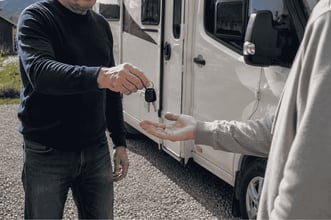
When a motorhome or caravan changes hands, both parties need to agree on its condition. Without a shared record, misunderstandings can easily arise afterwards. With digital check-in and check-out, the condition is documented in the app, so the host and renter have the same overview from start to finish.
How check-in works at pick-up
- The host starts check-in: When the renter arrives to collect the vehicle, the host starts the check-in process in the app.
- The renter confirms the condition: The renter receives a notification to complete their part of check-in and fills in a form confirming the vehicle's condition.
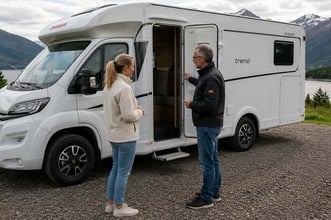
Take your time with the walk-through. Walk around the vehicle, look for scratches or damage, and check that all included equipment is there. It is also a good idea for the host to show how the gas, electrics, water and toilet work, especially if you have never used a motorhome before.
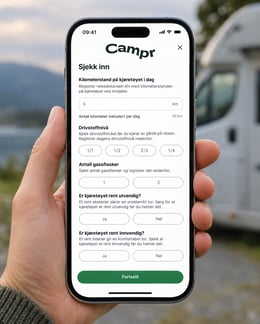
Check-in in the Campr app
How check-out works at return
- The renter starts the return: When the trip is over, the renter starts the return process in the app.
- The host confirms the return condition: The host receives a notification and fills in the same form the renter completed at pick-up, confirming the condition on return.
- Suggested extra costs: The system automatically suggests any extra costs, such as a cleaning fee. The host can edit or choose the amount to charge.
- Other additional costs: The host can add costs that are not listed, and the renter is asked to review the extra costs.
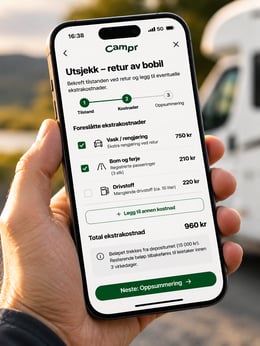
Check-out and extra costs in the app
What happens if host and renter disagree?
If the renter disagrees with the extra costs, a dispute is opened. A group chat is then set up between the renter, the host and Campr's support team, where the case is resolved manually. Because the condition was recorded at both pick-up and return, everyone starts from the same information.
Tips for a smooth handover
- Agree on a time in advance: Allow enough time for the walk-through at both pick-up and return.
- Take your own photos: It can be useful for both parties to take a few photos of the vehicle at handover.
- Check fuel and mileage: Note the fuel level and odometer reading at pick-up so they are easy to compare on return.
- Return it as you found it: As a renter, you avoid extra costs by returning the motorhome clean and in the agreed condition.
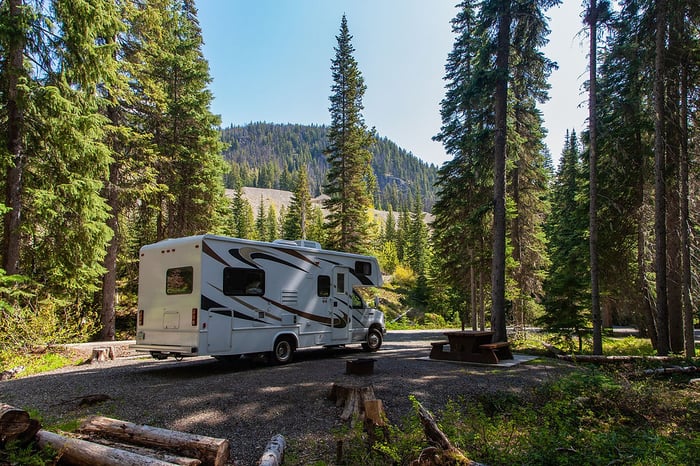
Renting out your own vehicle? Read how to earn more renting out your motorhome. Planning a trip? See how to book a motorhome rental in Norway for summer 2027.
Comments